Free instant analysis
Reveal Airbnb revenue for any address or city
How do you get your Airbnb listing to rank higher in search? Well, most optimization guides answer with the same two lines, "use good photos" and "write a great description", and while that isn't wrong, it doesn't tell you what to fix first.
So start with what Airbnb itself says. Its help page on how search results work says the quality, popularity, price and, for homes, location of a listing heavily influence where it appears. Its search engineers, meanwhile, describe booking as the main thing their ranker optimizes for, and a 2025 paper from that team uses the 5-star ratings guests leave after a stay as its example of the other outcomes ranking tries to improve.
That leaves two questions behind almost everything on this list: will a guest who sees your listing book it? And will they leave happy? We went through Airbnb's own help pages and engineering papers to work out which signals you can control, but before we get into the 11 tactics, you need to understand something most guides skip entirely.
There are two types of ranking factors (and you need both)
Airbnb's help page on search names the big ones, quality, popularity, price and location, and then lists what hosts can do about them: open more dates and allow more flexible stay lengths, adjust your price or offer discounts, add great photos, a detailed description and the amenities guests look for, and deliver the hospitality behind the Superhost criteria, meaning few cancellations, quick responses and good ratings. It also says listings that can be booked instantly may rank higher.
Those are the scoreboard. But they're not the playbook.
There's a second category we call reaction factors that feed directly into the official ones. Your title and cover photo drive click-through rate. Higher CTR means more page visits. More page visits boost your popularity score, which is an official ranking factor. Same thing happens downstream:
- A clearer summary leads to fewer "not what I expected" reviews, which raises your quality score
- More wishlist saves increase your popularity signal
- Accurate descriptions head off complaints, which Airbnb says can hurt your ranking
The official factors are what Airbnb measures. The reaction factors are how you move the numbers. You need to optimize both, and that's what this list is really about.
1. Audit your listing against the ones beating it
Before you change anything, find out what's holding the listing back, because the fix for a weak cover photo isn't the fix for a slow response time. The fastest way to do that is BNBCalc's Listing Optimizer, which you'll see called Listing Audit inside the app. You paste your public Airbnb link, and BNBCalc reads the listing, its photos, up to 100 guest reviews and up to 50 nearby listings, then grades the photos, title, description, amenities, guest reviews, booking rules and host profile.
What you get back is the list of fixes in order, each with the reason behind it: three title options, a rewritten description, a photo order with captions and the quick wins to make first. It usually takes 2 to 4 minutes, and as of October 2026 one audit is $19, or $60 for five, as a one-time payment, with two reruns of the same listing included so you can check it again once you've made the changes. Keep in mind that it doesn't connect to your Airbnb account, edit the listing or set your price, so the changes are yours to make, and your nightly rate shows up only as context.
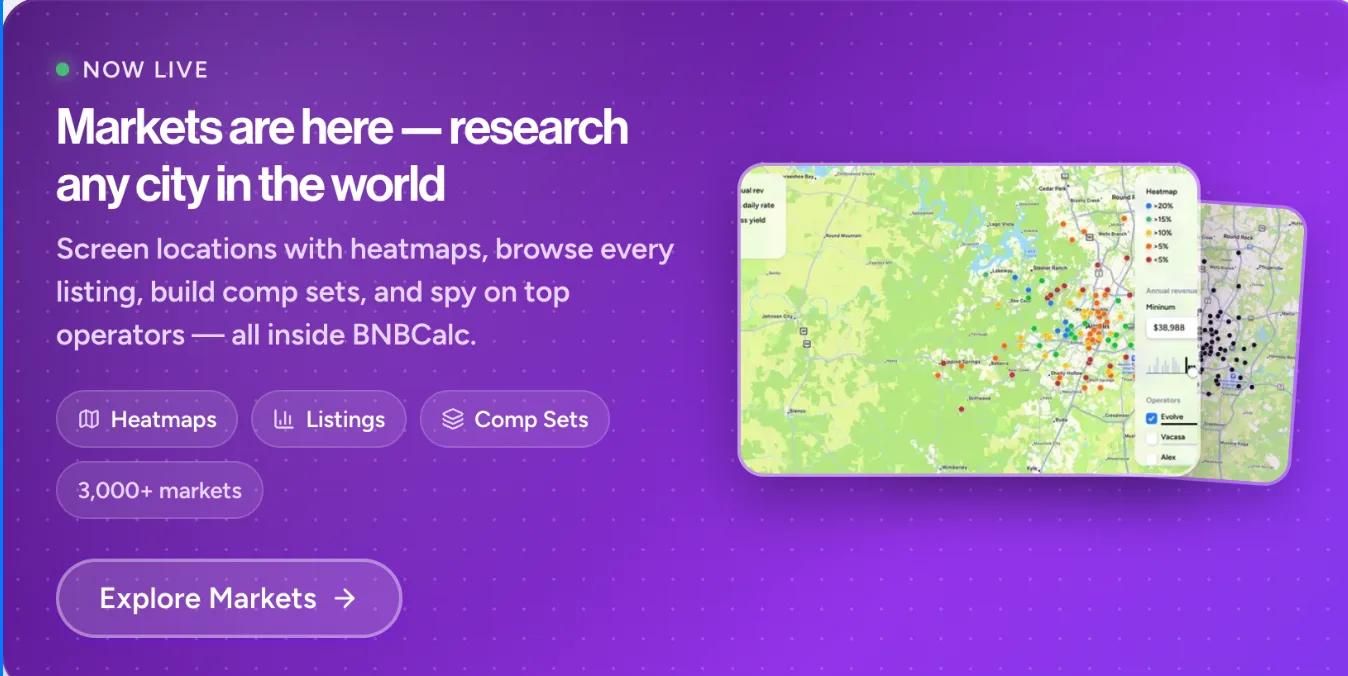
If you'd like to check by hand as well, look at what the highest-earning listings near you do differently. BNBCalc Markets shows a market's listings sorted by revenue, with their photos, nightly rates and ratings, and estimates how much more listings with a given amenity earn than similar ones. A lot of listing optimization is market research in disguise, since the hosts who rank highest know their comp set and compete with the best listings in their market, not just the average.
2. Earn the Guest Favorite badge
Airbnb doesn't publish a weight for this badge, so treat any exact share of your ranking you see quoted as a guess. What it does say is that Guest Favorites are the homes guests love most, based on ratings, reviews and reliability data, and that the badge shows in search results, where travelers can also filter for it. Those ratings and reviews feed what Airbnb's search page calls listing quality too, and it says "higher quality listings with better ratings and reviews tend to rank higher in search."
Guest Favorite status is decided listing by listing, and Airbnb's Guest Favorites guide lists what it looks at: at least 5 reviews in the past 4 years (with at least 1 in the past 2), overall star ratings, feedback in guest reviews, high ratings for check-in, cleanliness, accuracy, communication, location and value, and host cancellations and quality-related customer service issues below 1% on average. So what guests write counts, not just the stars they leave. To see what your own guests keep repeating, the Listing Optimizer from step 1 reads up to 100 of your reviews, so you can tell which complaints to fix and which praise to feature in your description.
How to earn it:
- Deliver a stay that matches or exceeds what your listing promises (accuracy is one of the six rated categories)
- Send a post-checkout message asking guests to mention specifically what they loved in their review
- Fix recurring complaints fast, before they show up in your category ratings
- Don't chase 5 stars by overpromising. A 4.9 with accurate expectations beats a 4.7 with inflated ones
3. Price for total cost, not nightly rate
Price is one of the four things Airbnb's help page says weigh most, and it's the total that counts. Airbnb's own guide to how search works says plainly that the algorithm "prioritizes the total price of a listing before taxes (including fees and discounts)", and its help page adds that the total is compared with other listings in the area for the same dates, with listings priced below comparable ones tending to rank higher.
One mistake we see a lot: a host sets a competitive nightly rate, then tacks on a $250 cleaning fee. The nightly rate looks great in isolation. The total price is what the algorithm compares you against, though, and that's what makes the listing uncompetitive.
Three pricing moves that improve rank:
- Bake cleaning costs into the nightly rate, or at least keep the fee in line with comparable listings. A high cleaning fee inflates the total price Airbnb compares, which can pull your ranking down even when your nightly rate looks reasonable.
- Add weekly and monthly discounts. Airbnb's help page names adjusting your price or offering discounts as one of the most direct ways to affect how your listing performs in search, and a discount brings down the total a longer-stay guest sees.
- Price last-minute dates below your normal rate. Open dates within 7 days are opportunities, not failures, and filling them adds to how often guests book you, which Airbnb counts toward popularity.
The tricky part is knowing what "competitive" actually means in your specific market. What are comparable 3-bedroom homes with a pool actually charging per night in your area? BNBCalc's market analysis shows you average daily rates, occupancy, and revenue for comparable listings so you're not just guessing at your price point.
4. Enable Instant Book
Turning on Instant Book is the easiest win on the list, since it's one toggle. Airbnb's help page on search says listings that can be booked instantly may rank higher, because the booking is confirmed without you having to accept the request. Its guide to search also tells hosts to use Instant Book "so guests can find your listing when they filter their search results for that option", which means a guest who uses that filter won't see your listing at all without it.
Instant Book also takes declined requests out of the picture, since for listings that aren't instantly bookable, Airbnb says the algorithm looks at how quickly you respond and how often you reject requests to book. If you're worried about unvetted guests, use Airbnb's guest requirements as your filter instead: everyone who books has to go through Airbnb's identity verification and agree to your house rules, and you can limit Instant Book to guests with a positive track record.
Do this today: Go to your listing settings and turn on Instant Book. If it's already on, move to #5.
5. Use your photos to stop the scroll, not document the house
Your cover photo is the large one that shows up in search, and Airbnb's photo tour help page calls your first five photos the most important because they're displayed prominently on your listing. Together they need to stop someone mid-scroll on their phone, not give a room-by-room tour of the property. That's why BNBCalc's Listing Optimizer suggests a cover photo and an opening order for those five, plus new captions and the shots you're missing.
Your cover photo (slot 1) should confirm the filter the guest just clicked. If they searched with the "pool" filter in a Florida market, they need to see a pool. If they're looking at mountain cabins and filtered for "hot tub," your hero shot better have a hot tub in it. This sounds obvious, yet plenty of listings miss it.
Photos 2-5 should showcase your most distinctive features. And here's something a lot of hosts get wrong: a genuinely spectacular bedroom can absolutely be in your top 5. We're not talking about a standard queen bed in a beige room. We mean a Bali-themed canopy suite with palm wallpaper and a skyline balcony, or a kids room with a built-in slide. If a photo makes someone stop and say "I want to stay there", it belongs near the front.
What works:
- Lead with your top filter-match amenity (pool in warm markets, hot tub in mountain markets, waterfront for lake houses)
- Include at least one photo that creates a real emotional reaction. A golden-hour pool shot, a dramatic master suite, a game room that makes someone say "we need to book this"
- Show every room and space guests can use, and caption what a photo doesn't show, which is what Airbnb's own photo guides ask for
- Every photo needs to be excellent. 20 great photos beat 40 where half are dark bathroom shots
A good exercise: search your own market on Airbnb and look at the first page of results. Which thumbnails make you want to click? That's your benchmark. You can also use BNBCalc to find the top-earning listings in your market and study what their first 5 photos look like, what amenities they highlight, and how they present the property.
6. Write a title that converts on a phone screen
Most optimization guides get one thing wrong here: Airbnb doesn't list title keywords as a search ranking factor. In fact, there's no mention of title text matching search queries anywhere on its help page about how search works.
Your title still matters a ton. But not because of keyword matching. It matters because it drives the click that starts everything else. A guest scrolling through 20 thumbnails on their phone decides almost instantly whether to tap yours. If you'd like options to test, BNBCalc's Listing Optimizer writes three titles of 50 characters or fewer, each with the reason behind it.
Two title formats that work:
Amenity-stack (best for properties with 4+ standout features):
Pool, golf sim, game room, sleeps 18
Scene format (best for character-driven or fewer-amenity properties):
Mountain hideaway with hot tub and sunrise views
Title rules:
- Under 50 characters (Airbnb says longer titles are automatically shortened in search results)
- Sentence case only. Capitalize the first word and proper nouns (this is per Airbnb's own guidelines)
- Use commas (or a single slash) to separate features, not pipes or repeated symbols
- Lead with the amenity your ideal guest cares about most
- Skip location (Airbnb already shows it), skip property names, skip "Welcome to"
7. Keep your description short and specific
Airbnb's description guide tells hosts to keep it brief, because "guests often scan listing descriptions for key features", and to lead with what's most important. So every word has to earn its spot.
If you'd rather start from a draft, BNBCalc's Listing Optimizer rewrites the description for each of Airbnb's fields and shows the feature phrases nearby listings use.
Structure that works:
- Hook (1-2 sentences): Property identity + top 2-3 selling points
- Bullet list (5-7 bullets): Top amenities ordered by what your ideal guest searches for first
- Review quote: A specific, real quote under 10 words. Not "Great place!" but something like "Fit all 13 of us without any issues"
- Key distances: 3-4 drive/walk times to the spots your guests actually care about
What to cut: Generic adjectives (cozy, charming, stunning), amenities listed as plain nouns without specifics ("WiFi" vs. "400 Mbps WiFi"), and any word that doesn't help a guest decide to click Book.
8. Set accurate expectations (the 3 Pros / 2 Cons method)
Remember the second question, whether a guest leaves happy? Airbnb's guide to search says that setting expectations in your description, then meeting or exceeding them, typically improves your search ranking over time, because accurate details lead to better ratings and help you avoid customer service complaints, which can hurt your ranking. When the listing matches the real experience, guests are happy. When it doesn't, they write disappointed reviews that drag down both your rating and your search position.
Proactively name your property's limitations. We use a simple framework: list 3 pros and 2 cons in the Your property section of your description. The cons should be honest but framed fairly:
- "Pool isn't heated, so December swims will be chilly"
- "Street parking only. The neighborhood is walkable, but plan ahead for groups of 6+"
- "No A/C, since Leadville sits above 10,000 ft and rarely needs it"
This feels counterintuitive. Why would you highlight weaknesses? Because guests who book knowing about the limitations don't leave surprised 3-star reviews. And a guest who would've been bothered by the issue self-selects out, which means the guests who do book are more likely to leave 5 stars.
That's the algorithm working in your favor.
9. Fill out every field (especially the ones hosts skip)
Airbnb's help page on search says a detailed listing description helps guests decide to book, and that adding the amenities guests look for can improve your visibility in searches for them. This sounds basic, yet plenty of hosts leave entire sections blank.
One setting that's easy to skip is Interaction with guests, where Airbnb has you choose how much in-person contact guests should expect, from spending time with them to communicating through the app. Pick the option that matches how you really host, then use your description to say how fast you reply and whether you're happy to give local recommendations.
Also check:
- Every amenity checkbox that actually applies to your property (pet-friendly, dedicated workspace, self-check-in, EV charger)
- All text fields in Your property, Guest access, and Other details to note
- Your neighborhood section with real distances, not "close to downtown"
This matters even more because Airbnb personalizes search results: its help page says that if a guest's past bookings share certain characteristics, the algorithm may rank listings with those characteristics higher for that guest. And if a pet owner searches your market with a pet added and you haven't marked your listing "pet-friendly," it may not show up, even if you actually allow pets.
10. Respond fast and accept requests (your 30-day averages are always running)
Airbnb's response rate help page says your response rate affects your search placement as well as your Superhost status, and it's the share of new inquiries and reservation requests you answered within 24 hours over the past 30 days. Your response time is the average time you took to reply over those same 30 days, and while it shows guests how quickly you respond, it has less impact on your status.
What hurts you:
- Any response after 24 hours counts as a late response, which lowers your response rate and raises your response time
- Letting a reservation request expire without an answer counts as a non-response (declining it within 24 hours still counts as a response)
- Declining requests often can still cost you, since for listings that aren't instantly bookable, Airbnb says the algorithm looks at how often hosts reject requests to book
Quick fix: Turn on Airbnb notifications on your phone. Set up saved quick replies for common questions. If you use a property manager or co-host, make sure they're responding on that same timeline.
11. Keep your calendar clean and your minimum stays flexible
Two factors are easy to overlook, and Airbnb's help page on search names both:
Calendar management: Airbnb says the more dates a listing is available, the more likely it fits a guest's plans, so adding availability may improve your visibility. If you're holding dates "just in case," either open them or block them on purpose, and keep the calendar current so you're never forced to cancel on a guest.
Minimum stay restrictions: the same page says the more flexibility you offer around how long guests can stay, the more likely your listing is to show up in their search results. A 5-night minimum during peak season might protect your revenue, but it also removes your listing from every 2-3 night search. Consider:
- 2-night minimum as your default
- 3-night minimum on holiday weekends only
- No minimum for last-minute bookings (within 7 days)
Every restriction you remove expands the pool of searches your listing appears in.
The checklist (do these this week)
If you want to improve your Airbnb search ranking, work through these:
- Run a BNBCalc Listing Optimizer audit to see which of these fixes your listing needs first
- Work toward Guest Favorite status by asking recent guests for specific, enthusiastic reviews
- Check your total price against comparable listings in your market (include that cleaning fee)
- Enable Instant Book if it's not already on
- Add weekly and monthly discounts
- Audit your first 5 photos: do they stop the scroll or just document the house?
- Review your title: is it under 50 characters, and does it lead with your best amenity?
- Trim your description: does it lead with what matters most, and is every word pulling weight?
- Add 2 honest cons to the Your property section of your description
- Fill out every section and set your Interaction with guests preference
- Check every amenity box that applies (especially pet-friendly, workspace, self-check-in)
- Set up fast response notifications so you always answer well inside Airbnb's 24-hour window
- Lower your minimum stay to 2 nights where possible
- Run a comp analysis on BNBCalc to see how your listing stacks up against the top earners in your market
Airbnb Tax Deduction Calculator
Paying too much in taxes? We have the perfect solution. Simulate an Airbnb home purchase below.
Purchase Price
$450K
Structure Value
70%
Apply Trump's Tax Cut (Bonus Depreciation)
Depreciation
$117,695
Interest
$21,600
Tax
$6,750
Year 1 Deduction
$146,045
Want to claim this deduction? Get a free cost segregation benefit analysis from CSA Partners — no obligation.
Get Full Analysis